Self-hosted · From → To · age · MCP
LazyBackup
Backups between any endpoints
Move paths, Docker volumes, and database dumps between this host, SSH servers, and S3—plus Bro peer storage and an instance meta-backup. Validate before you transfer, ping Discord/ntfy/Kuma on failure, optional age vault, passkeys, Status posture, and MCP for Cursor/Claude. No agents on your VPS, no cloud lock-in.
- Endpoints
- Local / SSH / S3
- Sources
- Path · vol · DB
- Crypto
- age vault
========== Docker Volume Backup ==========
Volume: postgres_data
Archive: postgres_data.tar.gz
Local path: /backups/vps/postgres/2026-08-13_03-00-00/postgres_data.tar.gz
Size: 184291328 bytes
Transfer: rsync
--- transfer stdout ---
receiving incremental file list
postgres_data.tar.gz
sent 43 bytes received 182,104,512 bytes
total size is 184,291,328 speedup is 1.01
Built for operators who read logs
Endpoints, validate before run, failure webhooks, age vault, Bro Space, Status checks, and MCP—see the full reference on Features.
From → To endpoints
Local, SSH servers, and S3-compatible storage (MinIO, R2, B2, AWS). Path, Docker volume, database dump, or instance meta-backup sources.
Server → Server
Ephemeral SSH keys for direct rsync when source can reach dest; otherwise pull then push via the LazyBackup host. S3 always relays.
age encryption vault
Optional ciphertext before land. Multi-key vault (active / retired / compromised), recovery recipients, passphrase-wrapped key export.
Bro Space
Lend backup space to a friend. They install LazyBro, paste your invite, and share a folder — encrypted end to end. Mailbox retention uses the same version/age rules as S3.
Validate before run
Probe SSH, S3, paths, and DB credentials without transferring. Last result is stored with a timestamp on the backup detail page.
Failure webhooks
HTTPS notify on backup.failed—method, headers, and {{tag}} templates. Presets for Discord, ntfy, Uptime Kuma, Telegram, and Slack. Optional success pings (same channel presets) when a run succeeds.
Status posture
A Status page scores what you already configured—auth, key export, instance backup, missed schedules, password-only SSH, webhooks—and links to fix each gap.
Passkeys + app password
Lock the UI with WebAuthn passkeys and/or a single app password. No users table; 30-day sliding session cookie.
Database dumps
Postgres / MySQL / MariaDB / SQLite logical dumps—.sql.gz or .sqlite.gz—native client or docker exec, with container env hints from docker inspect.
Paths & Docker volumes
rsync/scp paths, or alpine-pack named volumes on a source server or this host’s Docker socket. Restore from History (local, S3, Bro, or SSH dest with a key)—or download the artifact without restoring in place.
MCP for agents
Streamable HTTP MCP at /mcp with Bearer API tokens. validate_backup and get_status; opt-in remote_exec for shell or read_only for inspect-only. Destructive tools need confirm=true.
See it in action
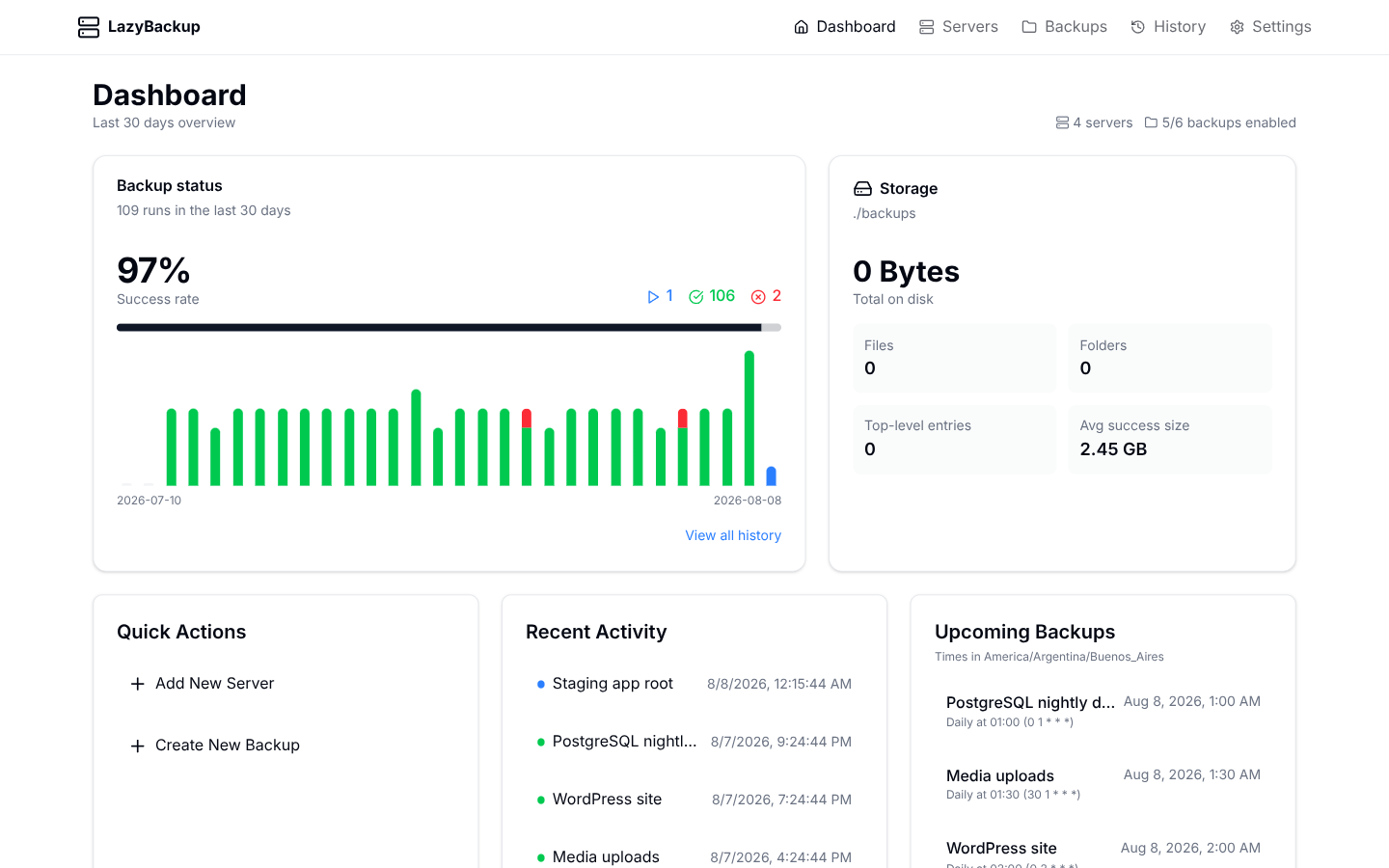
Status posture, age vault, S3, Bro Space, MCP tokens, From→To jobs, and history—on your own host.
MCP
Agents talk to your instance
Streamable HTTP at /mcp with Bearer API tokens. List servers, create From→To jobs, run backups, validate_backup, get_status. Opt-in read_only for inspect-only tokens. Destructive tools need confirm=true.
tool list_backups
[
{
"id": "nY7kQp2mLx9sRw4eT1vHc",
"name": "postgres-prod",
"sourceKind": "server",
"destinationKind": "local",
"sourceType": "docker_volume",
"sourcePath": "postgres_data",
"destinationPath": "/backups/vps/postgres",
"schedule": "0 3 * * *",
"enabled": true
}
]
tool run_backup { "id": "nY7kQp2mLx9sRw4eT1vHc" }
{
"success": true,
"message": "Backup started",
"historyId": "aB3dEf8hJk2nPq5tUv9Wx",
"backupName": "postgres-prod"
}
How it works
LazyBackup runs on your machine and moves data between endpoints— default destinations look like /backups/mysite.
Deploy
Run LazyBackup on any host—Docker image or Bun—with SSH keys mounted and volumes for SQLite + backup storage.
Pick From → To
Local, server, or S3 endpoints; path, volume, database, or instance source. Enable age encryption or Bro when you need ciphertext.
Validate & notify
Validate SSH/S3/DB before a real run, then History, Status posture, failure webhooks, passkeys, and optional MCP.
Stack we ship on
Next.js, Bun, SQLite, and rsync—deployed with Docker.
Next.js 15
Web UI
React 19
Components
Tailwind + shadcn
Design
SQLite + Drizzle
Persistence
rsync / scp
Transfers
Bun
Runtime
Open source & self-hosted
Browse the code on GitHub, or follow the Docker guide and run it on your own backup host.
Get started in minutes
Docker is recommended—mount SSH keys read-only and volumes for the database and backup storage. The GHCR image is multi-arch (linux/amd64 and linux/arm64). Compose and Bun are one tab away. Unraid Community Applications and TrueNAS SCALE compose templates live in deploy/. On plain HTTP (typical LAN), leave AUTH_COOKIE_SECURE unset so the app password session works.
docker run -d \
  --name lazybackup \
  --restart unless-stopped \
  -p 3000:3000 \
  -v lazybackup_data:/app/data \
  -v ./backups:/backups \
  -v ~/.ssh:/root/.ssh:ro \
  -e DATABASE_URL=file:/app/data/data.db \
  -e BACKUP_STORAGE_PATH=/backups \
  ghcr.io/ceneka/lazybackup:latest
For local development with Bun, use bun run dev instead of build & start.
Environment variables
- DATABASE_URL
- default: file:./data.db
- PORT
- default: 3000
- BACKUP_STORAGE_PATH
- default: ./backups
- SSH_KEYS_PATH
- default: ~/.ssh
- AUTH_SECRET
- default: (auto in settings)
- AUTH_COOKIE_SECURE
- default: unset (false)